
The easiest way to track spending when you keep quitting
Updated
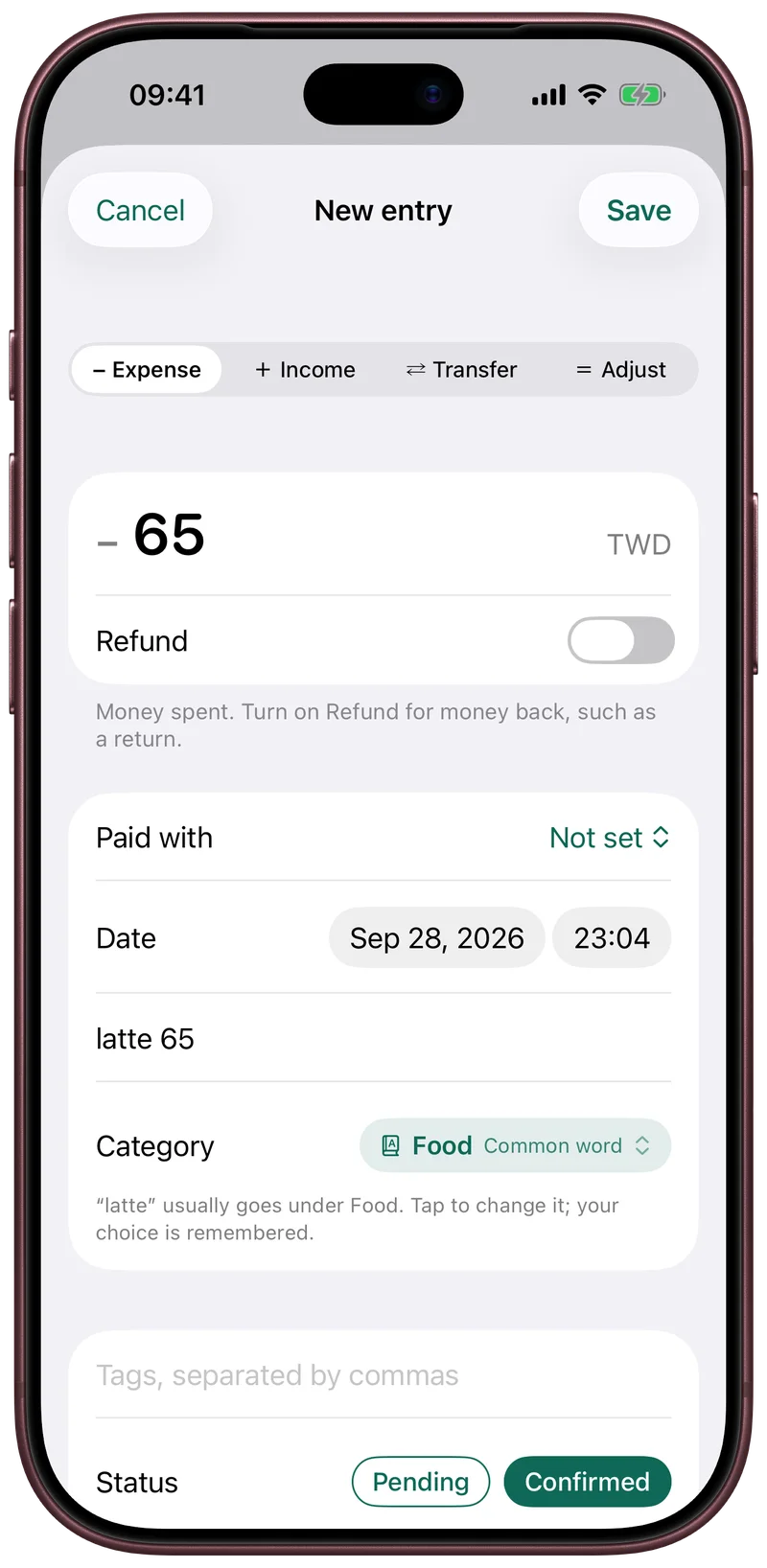
The easiest way to keep tracking your spending is to stop typing every purchase. Use the records you already receive: share the card statement when it arrives, photograph receipts, let a Shortcut log each Apple Pay tap, and type one short line for cash. Fullgrove is a ledger for iPhone built around those inputs, and it has no bank login.
Why tracking stops
Most ledgers ask for a form per purchase: amount, category, account and date. At four purchases a day that is about 120 forms a month. One missed week leaves about thirty purchases to recall, and the ledger stays where it stopped. The effort of each entry is the cause, so the fix is fewer entries to type.
Five ways an entry arrives without a form
- One typed line. Type “lunch 180 cash” and the amount, the way of paying and the category are filled in. The category comes from what you chose before for the same words, then from common words. Change it once and your choice is remembered.
- The card statement. Share the PDF to Fullgrove from Mail or Files. The whole billing period arrives at once and is checked against the totals printed on the statement. A locked PDF asks for its password once, and the password stays in the iPhone Keychain behind Face ID.
- Receipts. Photograph a receipt, or pick one from Photos or Files. The text is recognised on your iPhone, and the shop, the date and the total are read from it.
- Apple Pay taps. A Wallet automation in Shortcuts passes each tap's amount, shop and card to Fullgrove. The statement confirms the row later.
- Card alerts and payment screenshots. On iOS 27, a Notification automation passes alerts from the bank apps you pick, and alerts without an amount are ignored. A payment screenshot can be shared to Fullgrove from the screenshot preview.
What a month looks like
| When | What you do | What arrives |
|---|---|---|
| Each Apple Pay tap | Nothing | A row with the amount and the shop, confirmed later by the statement |
| Lunch paid in cash | Type “lunch 180 cash” | One row, filed under Food |
| The weekly shop | Photograph the receipt | One row with the shop, the date and the total |
| The card statement arrives | Share the PDF | The whole period, checked against the printed total. A tap and its statement line become one row when the match is confident |
What you set up once, and what still needs you
- The Apple Pay, alert and screenshot automations are built by you in the Shortcuts app. Settings › Data and imports in Fullgrove lists the steps. Fullgrove never reads your messages, notifications or screen on its own.
- An alert that does not clearly describe a purchase asks “Is this a purchase?” before it becomes an entry. Rows the app is unsure about wait under Import and review until you confirm them.
- Cash needs one line from you.
- There is no live bank feed. A card purchase with no tap, alert or receipt appears when the statement arrives.
Where the reading happens
Text in photos and PDFs is recognised on your iPhone. On iOS 27, where Apple's model is available, a category for a new entry or a statement line the rules could not read can be handled by Apple Private Cloud Compute. It is on by default, and its switch is in Settings › Privacy and security.
Set up tracking without typing every purchase
- Tap + and choose Type an entry. Type one line, such as “lunch 180 cash”, and save.
- Share this month's card statement PDF to Fullgrove from Mail or Files.
- In Shortcuts, create a Wallet automation that runs Log Apple Pay Tap, and pass it Amount, Merchant and Card.
- Photograph receipts as you get them, or pick them from Photos later.
- Once a week, open Import and review and confirm what is waiting.